One hub for all your connections.
Add the link from your provider, pick a server, connect with one tap. On your phone, computer and TV.
Free · No account · No tracking · Seven languages
Three steps, then it stays out of your way.
Add your link
Paste it, scan a QR code, open a file, or send it from your phone to your TV.
Pick a server
Choose one yourself, or let “Fastest server” pick from the last test.
Tap once
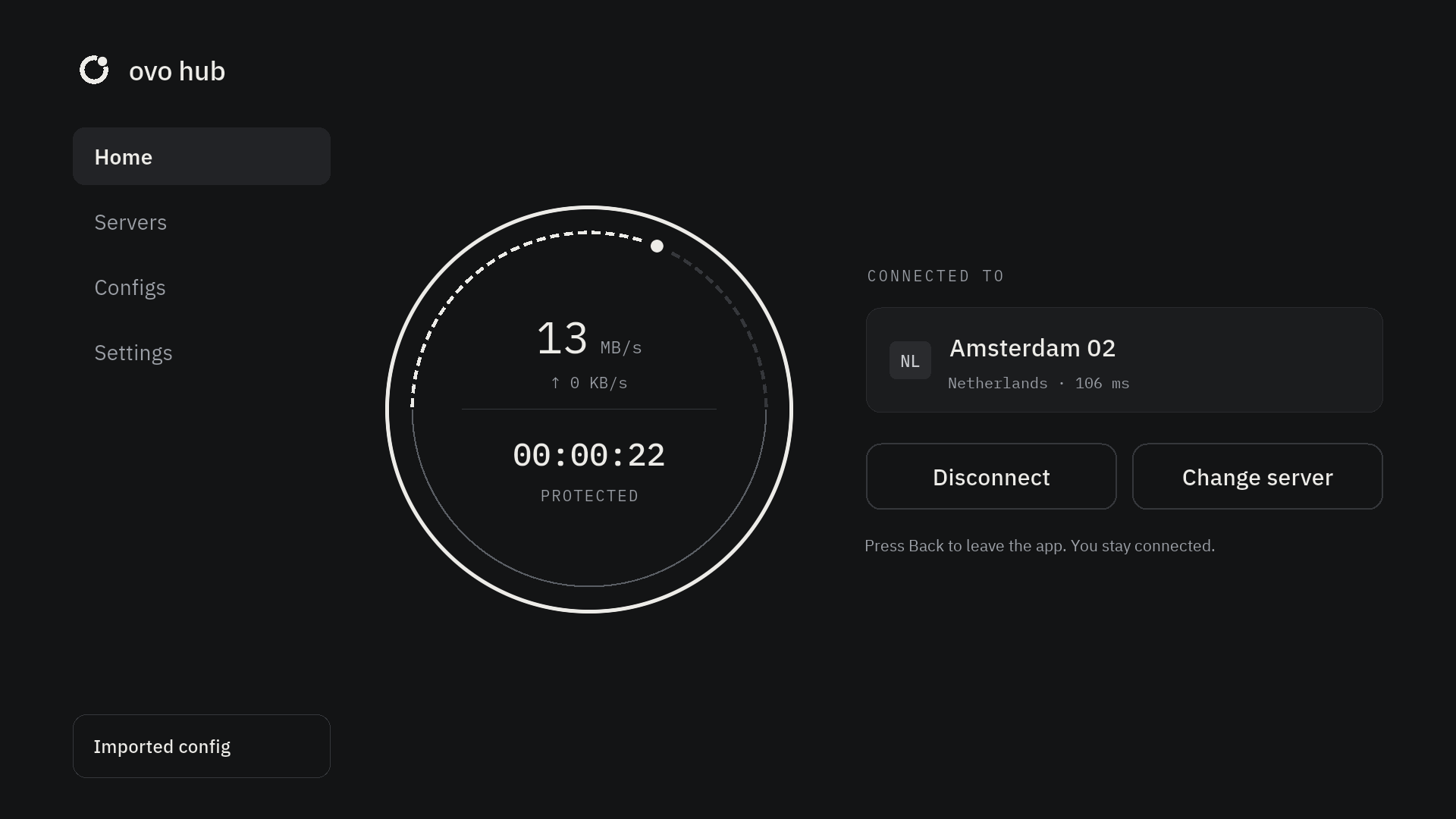
The button becomes a live meter with your speed and session time.
Quiet when it works. Clear when it doesn’t.
No typing with a remote.
ovo hub runs on Android TV and Apple TV. Send your link from your phone in a few seconds.
- On the TV, open Settings → Add from phone.
- Scan the code with your phone, or type the 4-digit code.
- Paste your link on the page that opens. The TV has it.
Back leaves the app. You stay connected.
Works with links from providers in the ovo hub club.
Nothing to sign up for. Nothing that identifies you sent to us.
No account
Install it and add your link. There’s no sign-up, email or password.
Nothing that identifies you
Your link and traffic go only to your provider. From us, the app downloads the list of club providers and, once a month, counts that your provider was used. No link, account or device ID. No ads, no tracking.
Kept safe
Links live in your device’s secure storage. Logs, if you turn them on, stay on the device.
Good to know
Is it free?
Yes. ovo hub is free for everyone who uses it, with no account and no ads. If your provider charges for their service, that stays between you and them.
Where do I get a link?
From a provider in the ovo hub club. They send a link, a QR code or a file; ovo hub reads all three.
Which providers work?
Only providers in the ovo hub club, listed on the Supported providers page. Their links are checked to work; links from other providers can’t be added.
Does it work on my TV?
Yes, on Android TV and Apple TV. Send your link from your phone with Add from phone.
What do you collect?
Nothing about you. There’s no account and no analytics. The app downloads the list of club providers from us, without your link or device ID.
Support asked for logs. How do I send them?
Turn on Settings → Debug mode, repeat what went wrong, then Copy or Download the log from the Debug tab. The private part of your link is hidden in it.